
 tothemixhub
Mix, master, production — one signal path
Run the whole job onone link.
It carries the mixes, the notes pinned to the second, the sign-off, the invoice and the final files. Your client opens it without making an account.
When your invite lands: no card, 30 days, and the clock does not start until your first successful upload.
- Client account
- None — they open a link
- Payouts
- Stripe Connect, direct to your bank
- Review links
- Secure, and they expire
From the brief to the final file
Every stage of the job runs on the same record, and shows the same status to you and your client.

An address of your own, and briefs that arrive finished
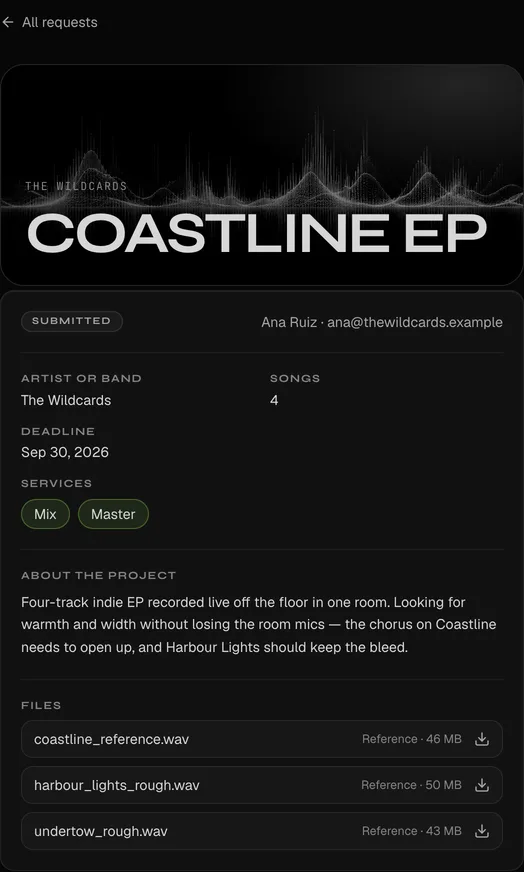
The page carries your reel and your credits. The form turns a vague enquiry into something you can price — songs, references, deadline, and who signs off.


One room for the notes, wherever you read them
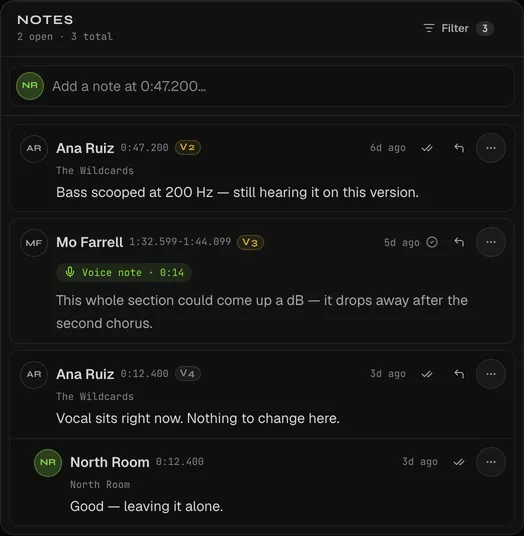
Your client opens a link with no account, leaves notes by text or voice, and you see how far they actually listened.
- Client account
- None. They open a link.
- Notes
- Text or voice, pinned to the second
- Versions
- A/B any two — notes carry forward
- Rounds
- Counted against the contract
This one is real — press play. The waveform, the loudness curve and the transport are the player your client gets; the pins at 0:12 and 0:47 are notes someone left, and the band from 2:10 is a whole section flagged at once.

The notes panel docks inside REAPER, so feedback sits next to the session instead of in a browser tab.
- Click a note to seek the session to that second
- Notes sync as REAPER markers
- Resolve, reply and post without leaving the DAW
- Pairs once from Settings, no password in the plugin

Signed off, built, handed over, paid
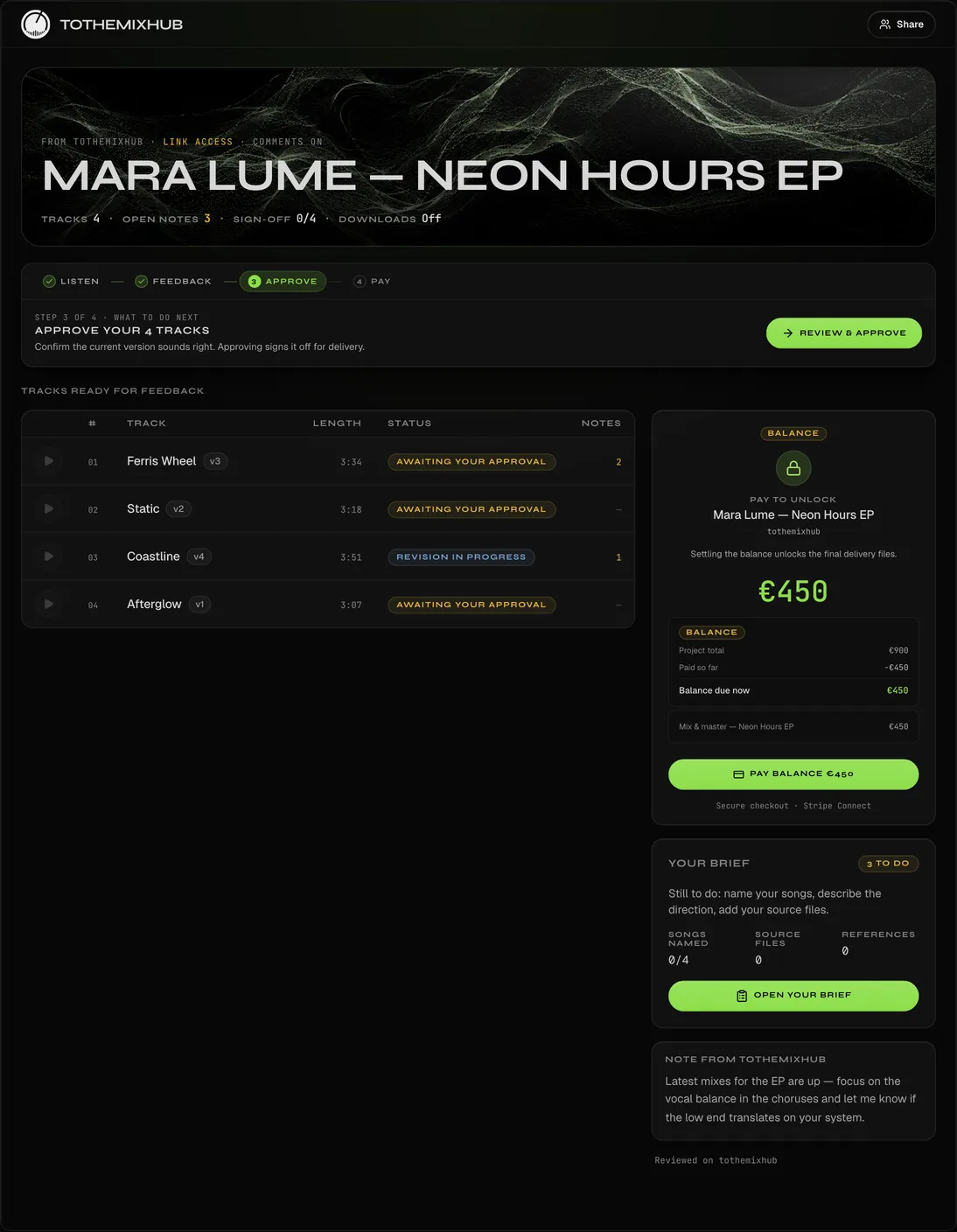
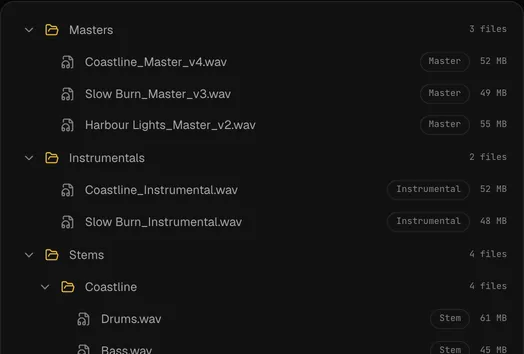
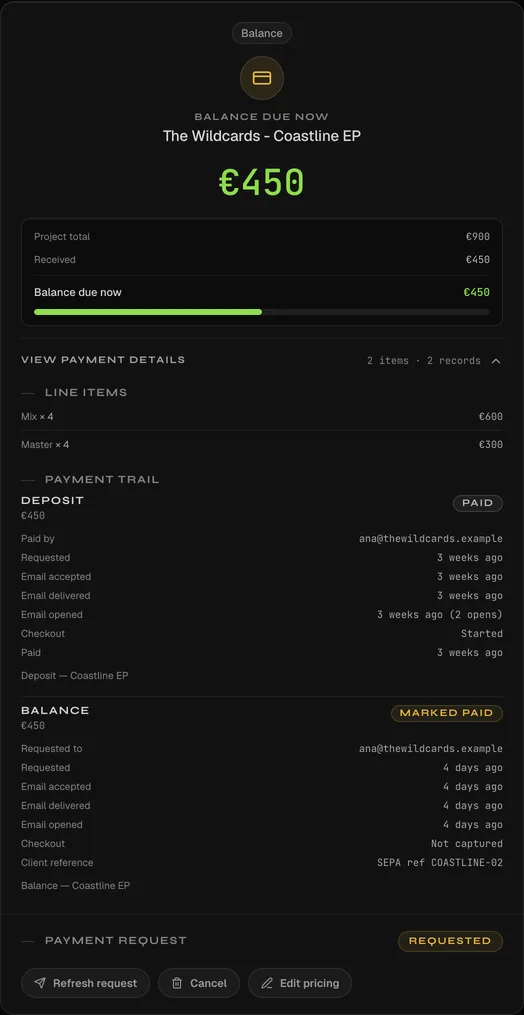
Approval is tied to one exact version, the package builds itself from your own naming rules, and money is tracked whether it runs through Stripe or not.
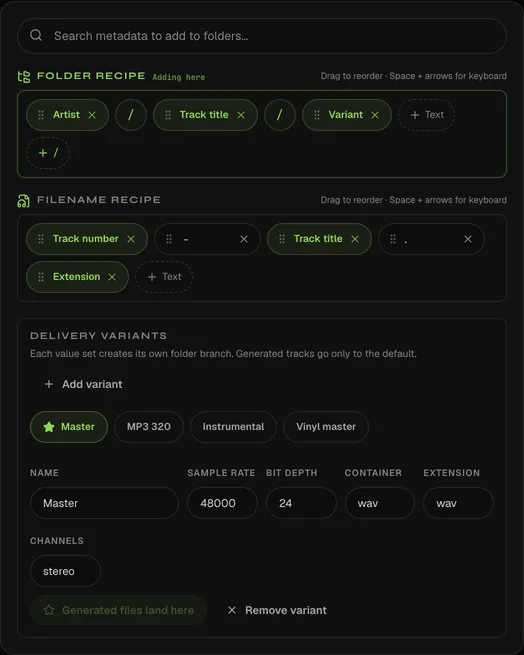
Set the naming once — {artist}/{track}/{deliverable} plus the format fields behind each variant — and every release builds the same way. Charges run through Stripe Connect straight to your own account; collect by transfer or cash instead and it is still tracked, but only your confirmation settles it.
Coastline
Revision 4 · approving as Ana Ruiz
By clicking Approve, you confirm that revision 4 of Coastline meets the agreed specifications and authorise work to proceed to delivery.

Start when the work starts. Pay for capacity, not permissions.
Everything live. One subscription.
No feature ladder. Every tool that is ready today is included with one account. Choose only your billing cadence and storage capacity.
€19
per month · VAT inclusive where applicable
No card · no timer before your first qualifying upload · clients and reviewers always free
- Unlimited active projects
- Review links, timestamped text and voice comments
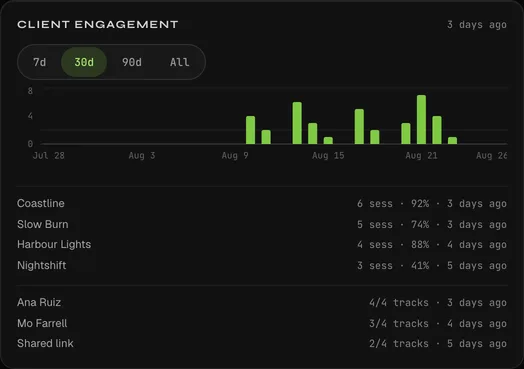
- Approvals, client signals and engagement analytics
- Stripe Connect payments and payment-gated delivery
- Client intake, roster and service catalogue
- Branding, public Studio page and platform subdomain
- REAPER integration and original-file delivery
Questions
What audio formats are supported?
WAV, MP3, FLAC, AAC, OGG, and M4A all work in the browser player. Files stream directly from Cloudflare R2 — your source files stay private behind presigned URLs.
Do clients need an account?
No for public and password-protected links. Account-gated projects require invited members to sign in.
Can clients leave voice comments?
Yes. Complete includes timestamped client voice comments, and clients never need to install an app or pay for an account.
Can I use my own branding?
Yes. Complete includes your name, accent, logo, footer, Studio page and branded platform subdomain. Custom DNS domains are not sold as a live feature yet.
How do revisions work?
Per-track. You set "revisions included" (default 2). A new version uploaded against a track counts as one round; the extra rounds auto-invoice at your set price.
How does payment to me work?
Client payments flow through Stripe Connect direct to your bank — no platform fee. You set the price, deposits, and per-track extra-revision rates.
How does billing work?
Complete is €19 monthly or €190 annually, with 250 GB included. Optional 250 GB storage blocks match your billing cadence. Prices include VAT where applicable.
When does the trial start?
The 30-day no-card trial starts only when your first project or Showcase audio upload finishes successfully. Before that, there is no timer.
What happens after access ends?
Your workspace becomes read-only for 90 days. You can read, export, download your originals, delete content, or restore access before permanent workspace deletion.
One link, from the brief to the final file.
Your client never makes an account, every note lands on the second, and the version they signed off on is the one you delivered.
When your invite lands: no card, 30 days, and the clock does not start until your first successful upload.